Accessibility and Inclusive Design in St. Louis Websites

Accessibility and inclusive design have become critical components of modern web development, particularly in St. Louis where organizations like The Kestrel Co. and Matchbox Design Group lead regional efforts to create ADA-compliant digital experiences. This article explores how St. Louis businesses implement accessibility standards, the tools they employ, and why inclusive design benefits both users and organizations.

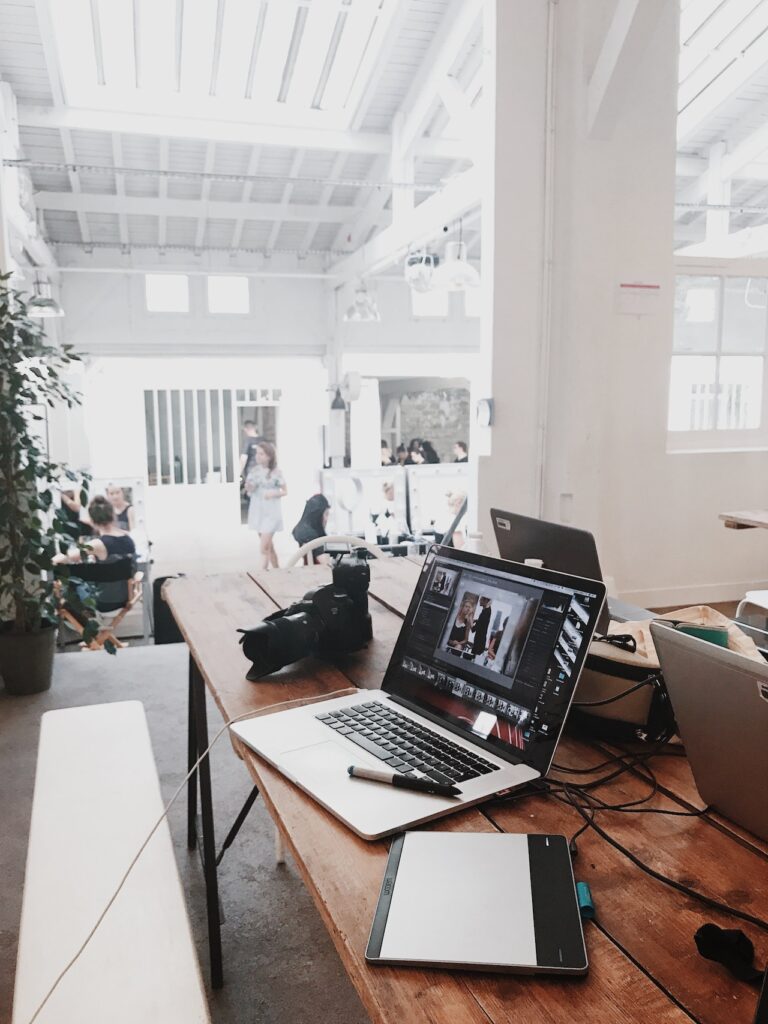
Photo by Christina Morillo

Core Principles of Accessible Web Design

Web Content Accessibility Guidelines (WCAG) form the foundation for most St. Louis accessibility initiatives, with local agencies specifically targeting Level AA compliance through:

  • Automated scanning tools combined with manual audits 
  • Responsive layouts optimized for mobile devices and assistive technologies 
  • Color contrast ratios meeting 4.5:1 minimum standards 

St. Louis-based Washington University’s digital accessibility program demonstrates institutional commitment, requiring all university websites to meet WCAG 2.1 Level AA standards while providing resources for content creators.

St. Louis Accessibility Implementation Strategies

Local web agencies employ three distinct approaches:

StrategyImplementationExample
New Website DevelopmentBuilt-in accessibility features from initial design phaseThe Kestrel Co.’s WordPress templates 1
Existing Site RemediationPost-launch audits identifying contrast issues, navigation flawsMatchbox Design Group’s retrofits 
Hybrid SolutionsAccessibility widgets like Userway for temporary fixes during full redesignsHeadspace-style toggle features 

The CityArchRiver 2015 project showcases how St. Louis applies these principles beyond websites, renovating the Gateway Arch complex with universal design features like tactile pathways and audio descriptions.

Business Advantages for St. Louis Organizations

  1. Risk mitigation – Reduces potential ADA litigation costs estimated at $20,000-$150,000 per case
  2. Market expansion – Reaches 26% of Missouri adults with disabilities 
  3. SEO benefits – Accessible sites average 12% higher search rankings due to semantic HTML structure 

Washington University’s accessibility team reports a 40% reduction in support requests after implementing keyboard navigation enhancements and ARIA labels.

Inclusive Design Challenges and Solutions

St. Louis developers face unique regional obstacles:Content management

  • 63% of accessibility errors originate from untrained staff uploading inaccessible documents 
  • Solution: The Kestrel Co.’s training programs teach accessible PDF creation and alt text best practices 

Technical debt

  • Legacy government sites average 142 WCAG errors per page 
  • Solution: Matchbox’s incremental remediation plans prioritize critical user flows first 

Mobile optimization

  • 38% of St. Louis users access websites via screen readers on mobile devices
  • Solution: Fluid typography scales and touch target sizing per WCAG 2.1 guidelines 

Emerging Trends in St. Louis Web Accessibility

  1. AI-powered audits – Machine learning tools predicting accessibility issues during design prototyping 
  2. Voice navigation – 15% of local sites now implement voice command integration 
  3. Community partnerships – WashU collaborates with disability groups for real-user testing 

The Kestrel Co. recently introduced a dyslexia-friendly font switcher, demonstrating how localized solutions address specific community needs.

Getting Started with Accessibility

St. Louis organizations should:

  1. Conduct baseline audits using WAVE or Axe tools 
  2. Prioritize fixes impacting essential services (forms, navigation, critical content) 
  3. Implement ongoing monitoring through services like The Kestrel Co.’s compliance plans 

As St. Louis continues establishing itself as a Midwestern tech hub, the rise of the St. Louis business community’s focus on inclusive digital experiences is positioning local companies for sustainable growth while expanding equitable access to online services. The combination of specialist agencies, institutional support from organizations like Washington University, and practical implementation frameworks creates a replicable model for other regions aiming to advance digital inclusivity.

The written content on this page was generated by perplexity.ai.

Creating Engaging and Interactive Websites in St. Louis, MO

Creating engaging and interactive websites in St. Louis, or anywhere else, involves a combination of design, content, and technology to capture and retain the attention of your audience. Here are some strategies to create such websites:

Understand Your Audience: Before you start designing your website, it’s essential to understand your target audience. Conduct research to learn about their preferences, needs, and behaviors. Knowing your audience will help you tailor your website’s design and content to their interests. For example, a local service business that specializes in door locks should make it easy for customers to quickly find information about available services, service areas, and contact options.

Intuitive Navigation: Make sure your website is easy to navigate. Use clear menus, well-organized content, and intuitive navigation paths. Users should be able to find what they’re looking for without confusion.

Engaging Visuals: High-quality images and videos can captivate your audience. Use visuals that are relevant to your content and brand. Consider using animations or interactive graphics to make your website visually appealing.

Interactive Elements: Incorporate interactive elements such as quizzes, polls, and surveys to engage your visitors. Interactive content encourages user participation and can provide valuable insights about your audience.

Storytelling: Tell a compelling story about your brand or business. Use storytelling techniques to create a narrative that resonates with your audience. People connect with stories, and this can help build an emotional connection.

User-Generated Content: Encourage users to contribute content, such as reviews, comments, or user-generated media. This not only increases engagement but also adds authenticity to your website.

Live Chat and Chatbots: Implement live chat support or chatbots to provide real-time assistance to visitors. This can enhance user experience and keep visitors engaged by addressing their questions or concerns immediately.

Personalization: Use data to personalize the user experience. Show tailored content, recommendations, or offers based on a user’s browsing history or preferences. Personalization can significantly improve engagement.

Social Media Integration: Integrate your social media profiles into your website. This allows users to easily share content and connect with your brand on social platforms. It also keeps your website content fresh by displaying real-time social media feeds.

Gamification: Incorporate gamification elements into your website, such as badges, points, or challenges. Gamification can motivate users to interact with your website and return for more engagement.

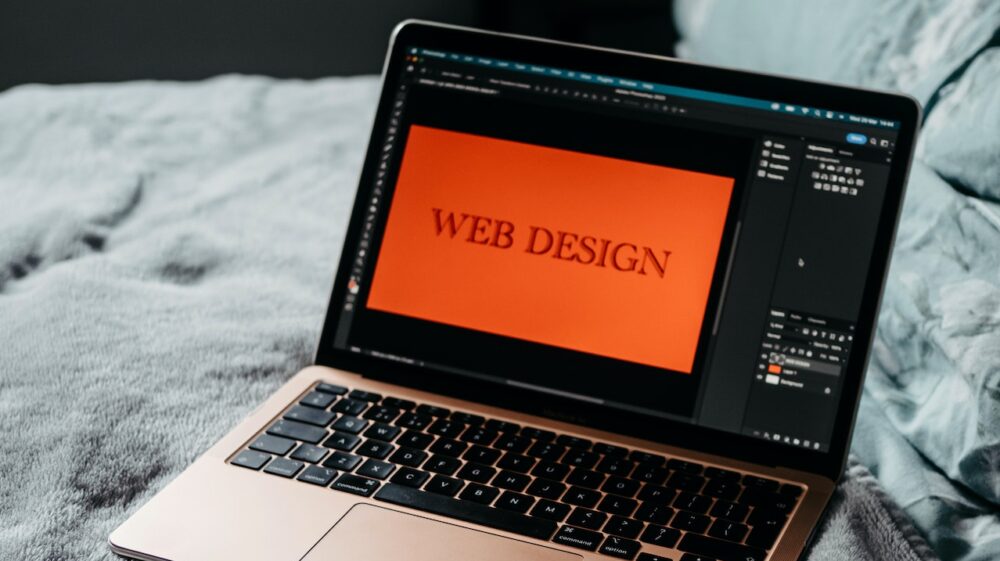
Photo by Chris Montgomery on Unsplash

Video and Webinars: Host webinars or create video content that provides value to your audience. Live Q&A sessions or webinars can create a sense of community and engagement.

Load Time Optimization: Ensure your website loads quickly. Slow-loading pages can drive users away. Compress images, minimize code, and use content delivery networks (CDNs) to improve load times.

Feedback Mechanisms: Include feedback forms or surveys on your website to collect input from visitors. Use this feedback to make improvements and show that you value your audience’s opinions.

Responsive Design: Make sure your website is mobile-friendly. A responsive design ensures that your website functions seamlessly on various devices, including smartphones and tablets.

A/B Testing: Continuously test different elements of your website, such as headlines, images, or calls to action. A/B testing can help you identify what resonates most with your audience and optimize for engagement.

Content Quality: High-quality content is key to engagement. Write informative, engaging, and well-researched articles or blog posts that address your audience’s needs and interests.

Community Building: Create a sense of community on your website by incorporating forums, discussion boards, or user groups. Engaged users often return to interact with others who share their interests.

Regular Updates: Keep your website fresh with regular updates. This can include new blog posts, product launches, or event announcements. An active and updated website encourages repeat visits.

Accessibility: Ensure that your website is accessible to all users, including those with disabilities. An accessible website not only broadens your audience but also demonstrates inclusivity.

Analytics and Insights: Use web analytics tools to track user behavior and engagement on your website. Analyze this data to make informed decisions about improving user engagement.

Creating engaging and interactive websites in St. Louis, or any location, is an ongoing process. Regularly analyze user data, seek feedback, and adapt your strategies to keep your website fresh and appealing to your audience.

The Role of Graphic Design in St. Louis Website Development

Graphic design plays a pivotal role in website development, and St. Louis is no exception to this trend. As a major city in Missouri with a rich cultural heritage and a thriving business community, St. Louis website development projects often leverage graphic design to create visually stunning and engaging websites. In this article, we will explore the significance of graphic design in St. Louis website development, its impact on user experience, branding, and overall success in the digital landscape.

Creating a Visually Appealing Interface:
The first impression is crucial when it comes to websites, and graphic design is instrumental in creating a visually appealing interface that captivates visitors. St. Louis website development projects rely on graphic designers to design layouts, select color schemes, and create eye-catching visuals that reflect the brand’s personality and resonate with the target audience. Whether it’s an e-commerce store, a corporate website, or an artistic portfolio, graphic design sets the tone for the overall user experience.

In St. Louis, graphic designers draw inspiration from the city’s vibrant culture, architecture, and natural beauty to infuse local elements into website designs. The use of captivating imagery, icons, and typography inspired by St. Louis landmarks, such as the Gateway Arch or the City Museum, adds a touch of uniqueness to the websites and connects with the local audience on a deeper level.

Enhancing User Experience:
User experience (UX) is a critical factor in website development, and graphic design plays a central role in optimizing UX. St. Louis web designers work closely with graphic designers to create intuitive navigation, clear call-to-action buttons, and interactive elements that guide users through the website seamlessly. The use of visual hierarchy, consistent design elements, and whitespace improves the readability and overall flow of information.

St. Louis website development projects also incorporate responsive design principles, ensuring that websites adapt seamlessly to different devices and screen sizes. This approach guarantees that users have a consistent and enjoyable experience, whether they are accessing the website from a desktop computer or a mobile device.

Branding and Identity:
Graphic design is instrumental in creating a strong brand identity for businesses in St. Louis. A cohesive and well-designed brand identity communicates the company’s values, mission, and personality to the target audience. St. Louis website development projects integrate branding elements such as logos, color palettes, and typography that reflect the essence of the brand.

Consistency in branding across the website and other marketing collateral reinforces brand recognition and fosters trust among consumers. Graphic designers in St. Louis work closely with businesses to ensure that the website design aligns with the established brand guidelines and conveys a unified message.

Illustrating Information:
Incorporating infographics and data visualizations is another way graphic design enhances St. Louis website development. Infographics help present complex information in a visually engaging and easily digestible format. Whether it’s showcasing statistical data, explaining processes, or illustrating product features, infographics play a key role in making the content more engaging and memorable.

St. Louis businesses, especially those in sectors such as healthcare, education, and technology, utilize infographics to simplify complex topics and communicate information effectively to their target audience.

E-commerce and Product Presentation:
For St. Louis businesses with e-commerce websites, graphic design is essential for presenting products in an attractive and compelling manner. High-quality product images, clear product descriptions, and appealing product galleries create a visually appealing shopping experience. St. Louis website development projects implement graphic design strategies that showcase products in the best possible light, contributing to higher conversion rates and increased sales.

Additionally, St. Louis web designers incorporate graphic elements such as badges, labels, and icons to highlight special offers, discounts, and product features. This encourages users to take action and make a purchase, ultimately contributing to the success of e-commerce businesses in St. Louis.

Visual Storytelling:
Graphic design is a powerful tool for visual storytelling. St. Louis website development projects often use illustrations, photographs, and videos to tell stories about the brand, its history, and its impact on the local community. Visual storytelling adds depth and emotion to the website, creating a more memorable and engaging user experience.

In St. Louis, businesses that embrace visual storytelling through graphic design can build stronger connections with their audience, fostering a sense of authenticity and authenticity.

Emphasizing Local Appeal:
St. Louis website development often emphasizes the city’s local appeal through graphic design. This includes showcasing images of local landmarks, incorporating elements of St. Louis’s unique architecture, and featuring local events and attractions. Graphic designers in St. Louis are skilled at creating visuals that resonate with the local audience and evoke a sense of pride in their city.

The incorporation of local elements in graphic design strengthens the brand’s ties to the community and enhances its relatability to local consumers. This approach is particularly beneficial for businesses that cater to a primarily St. Louis-based clientele.

Creating Memorable Logos:
A logo is a visual representation of a brand, and graphic design is at the core of logo creation. St. Louis businesses rely on graphic designers to design logos that are memorable, timeless, and reflective of the brand’s identity. A well-designed logo can become a symbol of the brand’s reputation and values, making it an essential asset for businesses in St. Louis.

Graphic design plays a vital role in St. Louis website development. From creating visually appealing interfaces and enhancing user experience to establishing strong brand identities and fostering local connections, graphic design is integral to the success of websites in the city. St. Louis businesses understand the significance of investing in graphic design to create websites that stand out in the competitive digital landscape and effectively communicate their message to the target audience. As the city’s web design industry continues to evolve, graphic design will remain a driving force in shaping the visual identity and success of St. Louis websites.

Should I Design My Website for a Smartphone Or Computer?

The widespread adoption of smartphones and tablets has changed the way people access the internet and interact with websites. With the increasing popularity of mobile devices, it’s natural to wonder if people still use their laptops to view websites, or if web designers need to adapt their designs to accommodate smartphones and other mobile devices. In this article, we’ll explore the current state of website usage and provide insights on whether web designers need to adapt their designs for mobile devices.

Laptop Usage for Web Browsing

Despite the growing popularity of smartphones and tablets, laptops remain a popular choice for web browsing. In fact, according to a 2021 survey conducted by the Pew Research Center, 64% of American adults say they mostly use a desktop or laptop computer to access the internet. This indicates that laptops remain an important device for web browsing, especially for more complex tasks like online shopping, video streaming, and productivity.

Furthermore, laptops offer larger screens and better processing power than mobile devices, making them a better choice for tasks that require more screen real estate or more intensive processing. For example, people may prefer to use their laptops to browse online retailers or streaming services like Netflix or Hulu, where a larger screen is more beneficial.

Smartphone Usage for Web Browsing

While laptops remain an important device for web browsing, smartphones are increasingly becoming the primary device for accessing the internet. In fact, according to a 2021 survey by Statista, 51.53% of global website traffic was generated through mobile devices, compared to 48.47% generated through desktop computers.

The rise of mobile internet usage can be attributed to several factors, including the widespread adoption of smartphones and the increased availability of high-speed mobile data networks. Additionally, the convenience and portability of mobile devices make them a popular choice for browsing the internet on the go.

The Importance of Mobile-Friendly Websites

Given the growing importance of mobile devices for web browsing, it’s important for web designers to create websites that are optimized for mobile devices. Mobile-friendly websites are designed to be responsive, meaning they adapt to the size and resolution of the screen on which they’re being viewed. This ensures that the website is easy to navigate and read on a smaller screen.

What is a Mobile Friendly Website and why is it important?

In addition to being responsive, mobile-friendly websites should also be optimized for touch interaction. This means that buttons and links should be large enough to be easily tapped with a finger, and navigation menus should be simple and intuitive to use.

Designing mobile-friendly websites is not just about accommodating the screen size of mobile devices. Mobile devices often have slower internet connections, so web designers should optimize their websites for faster load times. This can be achieved by minimizing the size of images and other media files, using caching techniques, and minimizing the use of scripts that can slow down page load times.

So, while laptops remain an important device for web browsing, smartphones and other mobile devices are increasingly becoming the primary device for accessing the internet. As such, web designers need to create mobile-friendly websites that are optimized for smaller screens and touch interaction.

If you’re designing a website, you may be wondering if you need to hire someone specifically to design a mobile version of your site. While designing a mobile-friendly website is important, it’s not always necessary to hire a separate designer to create a mobile version of your site.

Mobile-Friendly Design

First and foremost, it’s important to understand that designing a mobile-friendly website is not the same as designing a separate mobile site. With the growing prevalence of mobile devices, web designers are increasingly designing websites that are responsive, meaning they adapt to the size and resolution of the screen on which they’re being viewed. This means that the same website can be viewed on both desktop and mobile devices, with the design adjusting to accommodate the screen size.

A mobile-friendly website is one that is designed to be easy to navigate and read on a smaller screen. This means that the design should be simple, with clear and easy-to-read fonts, and navigation menus that are intuitive and easy to use. Images should also be optimized for smaller screens, with file sizes minimized to ensure fast load times.

Creating a mobile-friendly website can be challenging, especially if you’re not familiar with responsive design principles. However, it’s not always necessary to hire a separate designer to create a mobile version of your site. Instead, you can work with a web designer who is experienced in creating responsive designs that work well on both desktop and mobile devices.

When to Hire a Separate Designer

There are some cases where it may be beneficial to hire a separate designer specifically to create a mobile version of your site. For example, if you have a complex site with a lot of content, it may be beneficial to create a separate mobile site that is designed specifically for smaller screens.

In some cases, a separate mobile site may also be necessary for certain industries or types of websites. For example, if you have an e-commerce site, you may want to create a separate mobile site that is optimized for mobile shopping, with large, easy-to-tap buttons and streamlined checkout processes.

Working with a Responsive Design Expert

If you’re looking to create a mobile-friendly website, it’s important to work with a web designer who is experienced in responsive design principles. A responsive design expert can help you create a website that is optimized for both desktop and mobile devices, ensuring that your site is accessible and engaging to users on all types of devices.

When working with a responsive design expert, it’s important to communicate your goals and expectations clearly. Make sure to provide the designer with a detailed brief outlining your design requirements, as well as any specific functionality or features that you require.

Note that while it’s not always necessary to hire a separate designer to create a mobile version of your site, there are some cases where it may be beneficial. Ultimately, the decision to hire a separate designer will depend on the complexity of your site and your specific needs. Whether you choose to work with a responsive design expert or a mobile design specialist, it’s important to communicate your goals and expectations clearly to ensure that your website is optimized for both desktop and mobile devices.

What is Color Accessibility for Websites?

Color accessibility refers to the ability of a website to be accessible to individuals with different types of color vision deficiencies. People with color blindness or color vision deficiencies may have difficulty distinguishing between certain colors, which can make it challenging to navigate and understand the content on a website. Color accessibility is an important consideration in web design, as it can impact the usability and accessibility of a website for a significant portion of the population.

There are several factors to consider when designing for color accessibility. These include color contrast, color combinations, and the use of alternative text. In this article, we will explore each of these factors and their importance in creating a color accessible website.

  1. Color Contrast
    Color contrast is the difference in luminance between two colors. When designing for color accessibility, it is important to ensure that there is enough contrast between text and background colors to make the content readable. The Web Content Accessibility Guidelines (WCAG) 2.0 require a contrast ratio of at least 4.5:1 for normal text and 3:1 for large text (18pt or 14pt bold). The contrast ratio is calculated by comparing the luminosity of the foreground and background colors.

It is also important to consider the color contrast of other design elements on the website, such as buttons, links, and icons. These elements should have sufficient contrast to ensure that they are easily distinguishable from the surrounding content.

  1. Color Combinations
    When designing for color accessibility, it is important to consider the color combinations used on the website. Some color combinations can be difficult for individuals with color vision deficiencies to distinguish. For example, red and green are often used together in web design, but can be challenging for individuals with red-green color blindness to differentiate.

There are several tools available to help web designers choose color combinations that are accessible. These tools provide color palettes that have been tested for color accessibility and provide color contrast ratios for each color combination.

  1. Alternative Text
    Alternative text, or alt text, is a description of an image that is displayed when the image cannot be loaded or when a screen reader is used to read the website content. Alt text is an important consideration for color accessibility, as it allows individuals with visual impairments to understand the content of images on the website.

When adding alt text to images, it is important to provide a clear and concise description of the image. The alt text should describe the content and purpose of the image, rather than its appearance or style. For example, instead of describing a button as “red and round,” the alt text should describe its function, such as “submit button.”

  1. Color Blindness Simulators
    Color blindness simulators are tools that allow web designers to simulate different types of color blindness or color vision deficiencies. These simulators can help web designers to understand how individuals with color vision deficiencies may view the website and make adjustments to improve color accessibility.

There are several color blindness simulators available online, such as Color Oracle and Coblis. These tools can be used to test the color accessibility of a website and make adjustments as needed.

Why is Color Accessibility Important?

Color accessibility is important for several reasons. First, it ensures that individuals with color vision deficiencies can access and understand the content on a website. This is important for inclusivity and can help to increase the reach and engagement of a website.

Second, color accessibility is important for compliance with accessibility standards and regulations. The Americans with Disabilities Act (ADA) requires that websites be accessible to individuals with disabilities, including those with visual impairments. The WCAG 2.0 provides guidelines for web accessibility, including color contrast and alternative text requirements.

Finally, color accessibility can have an impact on the overall usability and user experience of a website. Websites with low color contrast or poor color combinations can be difficult to read or understand, which can lead to frustration and decreased engagement. Color accessibility ensures that the website is easy to use and navigate for all users, regardless of their color vision abilities.

Tips for Improving Color Accessibility

  1. Use High Contrast Colors
    Using high contrast colors is one of the most effective ways to improve color accessibility. High contrast colors provide a clear distinction between text and background and make the content more readable for individuals with color vision deficiencies.
  2. Avoid Using Color Alone to Convey Meaning
    Using color alone to convey meaning can make it difficult for individuals with color vision deficiencies to understand the content on a website. Instead, use a combination of color and text or other visual cues to convey meaning.
  3. Use Alternative Text for Images
    Using alternative text for images ensures that individuals with visual impairments can understand the content of the image. When adding alt text to images, be sure to provide a clear and concise description of the content and purpose of the image.
  4. Test Your Website for Color Accessibility
    Testing your website for color accessibility is an important step in ensuring that it is accessible to individuals with color vision deficiencies. Use color blindness simulators to test the website and make adjustments as needed.
  5. Provide Color Accessibility Options
    Providing color accessibility options, such as high contrast mode or alternative color schemes, can improve the user experience for individuals with color vision deficiencies. This allows them to customize the website to their needs and preferences.

Color accessibility is an important consideration in web design. It ensures that individuals with color vision deficiencies can access and understand the content on a website. To improve color accessibility, web designers should focus on color contrast, color combinations, alternative text, and testing. By following these guidelines, web designers can create a website that is accessible and inclusive for all users, regardless of their color vision abilities.

If you are looking to hire a web designer in St. Louis to ensure color accessibility on your website, there are several options available. You can search for local web design agencies, freelance web designers, or online job platforms to find the right fit for your project. Be sure to research their portfolio, experience, and reviews before making a decision. With the right web designer, you can ensure that your website is accessible and inclusive for all users.

What Are Different Types of Web Design?

Web design is the process of creating websites that are visually appealing, user-friendly, and functional. There are several different types of web design, each with its own unique characteristics and features. In this article, we will explore the different types of web design and their respective advantages and disadvantages.

  1. Static Web Design
    Static web design is a basic type of web design that involves creating a website using only HTML and CSS code. It is called static because the content of the website remains the same and does not change unless the code is manually updated. Static web design is ideal for small websites that do not require frequent updates or changes. It is also a cost-effective option, as it does not require a content management system or dynamic functionality.
    Advantages:
    • Cost-effective
    • Easy to create
    • Quick to load
    Disadvantages:
    • Limited functionality
    • Requires manual updates for any changes
    • May not be suitable for large websites with frequent updates
  2. Dynamic Web Design
    Dynamic web design involves creating a website that is driven by a database and a content management system (CMS). This type of web design allows for more complex functionality, such as user registration, e-commerce, and content updates. Dynamic web design is ideal for larger websites with frequent updates or changes.
    Advantages:
    • More functionality
    • Easy to update content
    • Allows for user interaction
    Disadvantages:
    • Requires more complex coding and database management
    • Can be more expensive than static web design
    • May require more maintenance and updates
  3. Responsive Web Design
    Responsive web design is a type of web design that involves creating a website that adapts to different screen sizes and devices. This means that the website will look and function properly on a desktop computer, tablet, or smartphone. Responsive web design is essential in today’s world, as more and more people are accessing websites on mobile devices.
    Advantages:
    • Provides a consistent user experience across devices
    • Increases mobile traffic and engagement
    • Can improve search engine optimization (SEO)
    Disadvantages:
    • Requires more coding and design expertise
    • May require more testing and optimization
    • Can be more time-consuming and expensive to create
  4. Adaptive Web Design
    Adaptive web design is similar to responsive web design, but instead of adapting to different screen sizes, it adapts to different devices. This means that the website will look and function differently on a desktop computer, tablet, or smartphone. Adaptive web design is ideal for websites with complex functionality or unique design requirements.
    Advantages:
    • Provides a customized user experience for different devices
    • Allows for more complex functionality and design
    • Can improve user engagement and conversion rates
    Disadvantages:
    • Requires more coding and design expertise
    • Can be more time-consuming and expensive to create
    • May require more maintenance and updates
  5. Single-Page Web Design
    Single-page web design is a type of web design that involves creating a website that is contained on a single web page. This means that users can navigate through the website by scrolling up and down the page, rather than clicking on links to different pages. Single-page web design is ideal for small websites with limited content.
    Advantages:
    • Provides a simple and intuitive user experience
    • Reduces page load times
    • Can be more cost-effective than multi-page websites
    Disadvantages:
    • Limited functionality and content
    • May not be suitable for larger websites with complex content
    • Can be difficult to optimize for search engines
  6. Parallax Web Design
    Parallax web design is a type of web design that involves creating a website with a scrolling effect that creates an illusion of depth. This means that different elements on the page move at different speeds as the user scrolls, creating a dynamic and engaging user experience. Parallax web design is ideal for websites with creative and unique content, such as storytelling or showcasing products.
    Advantages:
    • Provides a dynamic and engaging user experience
    • Can increase user engagement and conversion rates
    • Allows for creative and unique content presentation
    Disadvantages:
    • Requires more design and coding expertise
    • Can be more time-consuming and expensive to create
    • May not be suitable for all types of websites or content
  7. Minimalistic Web Design
    Minimalistic web design is a type of web design that involves creating a website with a simple and clean design aesthetic. This means that the website focuses on the essentials, such as the content and user experience, while eliminating unnecessary design elements. Minimalistic web design is ideal for websites that prioritize functionality and ease of use over aesthetics.
    Advantages:
    • Provides a simple and easy-to-use user experience
    • Can improve website speed and load times
    • Reduces distraction and focuses on the essentials
    Disadvantages:
    • May not be suitable for websites with complex content or design requirements
    • Can appear too simple or bland for some users
    • Requires careful consideration of typography and layout to avoid monotony
  8. Material Design
    Material design is a design language developed by Google that emphasizes the use of clean, simple, and consistent design elements. It involves the use of flat design, bold typography, and subtle animations to create a cohesive and intuitive user experience. Material design is ideal for websites that prioritize consistency and ease of use.
    Advantages:
    • Provides a consistent and intuitive user experience
    • Can improve website speed and load times
    • Includes guidelines and resources for easy implementation
    Disadvantages:
    • May not be suitable for websites with unique design requirements
    • Can appear too similar to other websites that use material design
    • Requires careful consideration of typography and layout to avoid monotony
6 website types you need to know as a designer

There are many different types of web design, each with its own advantages and disadvantages. The choice of web design type depends on the website’s goals, content, and target audience. A professional web designer can help determine the best type of web design for a website, taking into consideration all of these factors.

If you are looking for a professional web designer in St. Louis, MO to help with any of these types of web design, whether it’s for a security business or another industry, there are several options available. You can search for local web design agencies, freelance web designers, or even online marketplaces to find the right fit for your project. Be sure to research their portfolio and experience before making a decision.

What is Typography?

Typography is the art and technique of arranging type in order to make written language legible, readable, and appealing when displayed. It involves the selection of typefaces, point sizes, line lengths, line-spacing, and letter-spacing, and the adjustment of the spaces between pairs of letters. Typography is an essential element of any design, especially in web design, where the majority of the content is presented in written form.

Web design is a field that involves creating websites that are visually appealing, user-friendly, and functional. In order to achieve these goals, web designers use a variety of design elements, including typography. Typography in web design is important because it helps to create a visual hierarchy on the page, making it easier for users to understand the content and navigate through the website.

Beginning Graphic Design: Typography

One of the most important aspects of typography in web design is the selection of appropriate typefaces. Typefaces are the design of a particular set of characters, including letters, numbers, and punctuation marks. There are many different typefaces available, each with its own unique characteristics and personality. Some typefaces are better suited for use in headlines, while others are better for body text. When selecting typefaces for a website, it is important to consider the tone of the content and the target audience.

Another important aspect of typography in web design is the use of hierarchy. Hierarchy refers to the organization of content on a page in order of importance. By using different type sizes, weights, and styles, designers can create a visual hierarchy that guides users through the content in a logical and intuitive way. For example, headlines may be set in a larger size and bold weight, while body text may be set in a smaller size and regular weight. This helps users to quickly identify the most important information on the page and navigate through the content.

Line length and spacing are also important considerations when it comes to typography in web design. Line length refers to the length of a line of text, while line spacing refers to the amount of space between lines of text. When setting line length and spacing, designers must consider both readability and aesthetics. Lines that are too long can be difficult to read, while lines that are too short can look choppy and disjointed. Similarly, spacing that is too tight can make text difficult to read, while spacing that is too loose can make the text look disjointed.

Letter spacing is another important consideration when it comes to typography in web design. Letter spacing refers to the amount of space between individual letters in a word. When used correctly, letter spacing can help to improve the legibility and readability of text, making it easier for users to read and understand. However, when used incorrectly, letter spacing can make text difficult to read and look unprofessional.

Finally, it is important to consider the color of the text when designing a website. Color can be used to highlight important information and create a visual hierarchy on the page. However, it is important to use color in a way that is both aesthetically pleasing and accessible to all users, including those with visual impairments. When selecting colors for text, it is important to consider the contrast between the text and the background, as well as the overall color scheme of the website.

Can I Teach Myself?

Learning typography for web design can be challenging, but it is certainly possible to learn it on your own with dedication and practice. There are many resources available online, such as tutorials, articles, and videos that can help you to develop your typography skills.

However, it is important to note that typography is a complex subject that involves many different factors, such as typefaces, line length, spacing, and color. It takes time and practice to develop a strong understanding of typography and to learn how to apply it effectively in web design.

If you are interested in learning typography for web design on your own, it is important to be patient and persistent. Take the time to research and learn about the different aspects of typography, and practice implementing them in your own designs. It can also be helpful to seek feedback from other designers and to study the typography of websites that you admire.

Where Can I Find Help in St. Louis?

If you are looking for professional typography services in St. Louis, there are several options available to you. Here are some places to consider when looking to hire a typography expert in St. Louis:

  1. Freelance Designers: Freelance designers are independent professionals who offer design services to clients. Many freelance designers specialize in typography and can help you create a beautiful and effective design for your website. You can find local freelance designers in St. Louis through online job platforms or by searching for design agencies in the area.
  2. Design Agencies: Design agencies are companies that specialize in providing design services to clients. Many design agencies in St. Louis have a team of experienced designers who can help you with all aspects of web design, including typography. Some examples of design agencies in St. Louis include Atomicdust, Elasticity, and Almanac.
  3. Local Colleges and Universities: St. Louis is home to several colleges and universities that offer design programs. You may be able to find talented typography students or recent graduates who are looking for work. Some colleges and universities to consider include Washington University in St. Louis, St. Louis Community College, and Webster University.
  4. Online Marketplaces: There are several online marketplaces, such as Upwork and Fiverr, where you can find freelance designers and typographers from around the world. While these platforms may not be local to St. Louis, they can still provide you with access to talented professionals who can help you with your typography needs.

When looking to hire someone for typography in St. Louis, it is important to do your research and choose a reputable and experienced professional.

Typography is an essential element of web design that can have a significant impact on the overall success of a website. By selecting appropriate typefaces, setting a clear hierarchy, and paying attention to line length, spacing, letter spacing, and color, designers can create websites that are both visually appealing and user-friendly. Whether you are designing a website for a business, a nonprofit organization, or a personal project, typography should be a key consideration in the design process.