Top Design Tools Every Beginner Should Master in 2025

If you’re starting your website design journey in St. Louis in 2025, you’re in the right place and at the right moment. The tools designers use have shifted rapidly over the past few years—AI is woven into workflows, design platforms now blur the line between design and code, and builders let you ship beautiful, accessible sites faster than ever. Below I’ll walk you through the essential tools and why each matters, plus quick tips on how to learn them using local St. Louis resources.


Why the toolset in 2025 is different (and why that matters)

Two big shifts define modern web design: (1) deep AI integrations that speed prototyping and content creation, and (2) design platforms that can publish production-ready websites or export usable code, shrinking the handoff between designers and developers. Tools like Figma are evolving beyond static mockups to include prompt-to-app capabilities and richer code integration—meaning what you design can more directly become a working site. These changes reduce friction for beginners: you can go from idea to interactive prototype and—often—with a working build faster than before.

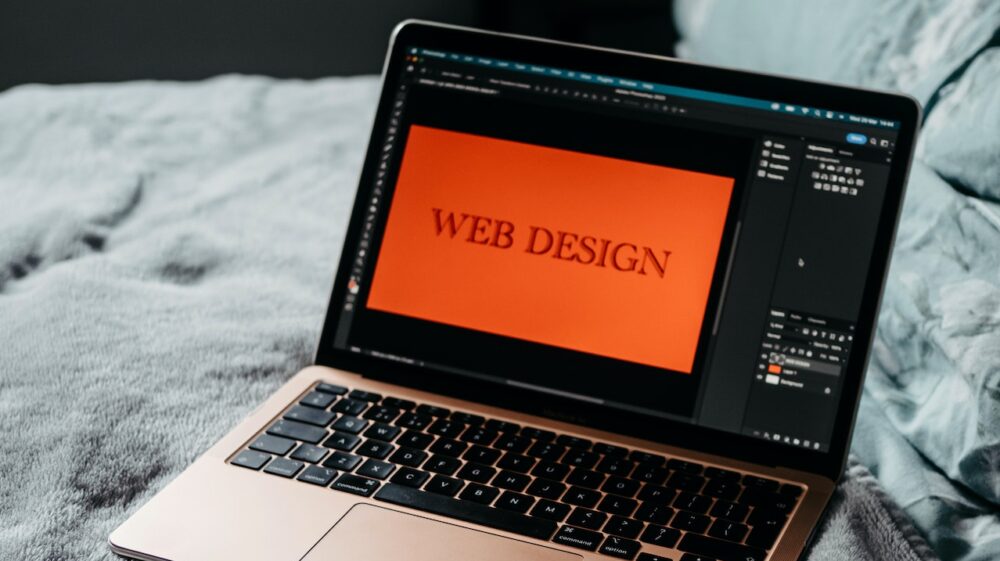
Photo by Tranmautritam

The core five: tools every beginner should master

Below are the five tools that give new St. Louis designers the most practical power in 2025. Learn these well and you’ll be able to take almost any small-business brief—from a coffee shop in the Grove to a consultancy in Clayton—and turn it into a polished, discoverable website.

1. Figma — design, prototype, collaborate

Figma remains the central hub for modern UI/UX. In 2025 it’s not just for frames and components: Figma’s recent product expansions (prompt-to-app, improved vector editing, and deeper AI-assisted features) let you prototype interactions, collaborate in real time, and even generate starter code from designs. Beginners love Figma for its approachable interface and the huge ecosystem of community templates and plugins. Start by mastering frames, components, auto-layout, and the prototype panel; then learn to publish design systems and use community kits to jumpstart projects.

Learning tip: Join a local Figma workshop or follow hands-on tutorials that build a real page (hero → features → footer) rather than isolated components.

2. Webflow — visual building that ships

Webflow converts visual layouts into production-ready HTML, CSS, and JavaScript, and in 2025 it’s continued to add AI helpers, SEO tools, and real-time collaboration features that make it friendly to beginners who don’t want to hand-code everything. If you want control over layout and animations while still getting a performant site, Webflow is a top choice—especially for local businesses who need maintainable CMS-driven pages without hiring a full dev team.

Learning tip: Build a simple 3–5 page site for a fictional St. Louis bakery. Use Webflow’s CMS for menus or blog posts so you practice dynamic content.

3. WordPress + Gutenberg — content-first websites

WordPress is still a strong option for content-heavy sites—blogs, community organizations, and many small businesses. Gutenberg (the block editor) has matured into a full-site editing experience with improved block visibility controls, growing plugin ecosystems, and faster, more flexible templates in 2025. For beginners, WordPress teaches valuable concepts: content structuring, SEO basics, and how to use plugins safely.

Learning tip: Install WordPress locally (or use a low-cost host) and practice building pages with blocks, templates, and a few trusted plugins like an SEO tool and a forms plugin.

4. Framer / Framer Sites — quick freeform design-to-code

Framer offers a freeform canvas and an approachable way to add interactivity and publish sites quickly. It’s become popular with beginners who like a balance of visual freedom and simple code under the hood. If you enjoy tinkering with animation and micro-interactions, Framer is a playground that gets you production-ready output faster than raw hand-coding.

Learning tip: Recreate a favorite landing page in Framer to learn layout, interactions, and responsive behavior.

5. AI tools & assistants — copy, images, accessibility checks

By 2025, every beginner should be comfortable using at least one AI assistant in their workflow: for microcopy, alt-text, content outlines, or accessibility audits. Many platforms (Figma, Webflow, and site builders) include AI features to generate headings, descriptive text, and SEO meta tags—use them as accelerators, not crutches. Learn to edit AI output thoroughly to avoid generic or inaccurate copy.


Honorable mentions (tools that pair nicely with the core five)

  • Lottie / Rive — for animations and micro-interactions that look modern and run smoothly.
  • GitHub + VS Code — basic version control and light editing for when you need custom code.
  • Hotjar / FullStory — learn how users interact with your site through heatmaps and session replays.
  • Canva / Figma plugins — quick marketing assets without leaving the design flow.
    These tools aren’t mandatory day-one skills, but familiarity will make your work more professional and scalable.

How to prioritize learning as a beginner (a St. Louis-friendly roadmap)

  1. Start with Figma (2–4 weeks): Follow a weekly challenge—create a small promo page, then iterate. Use community kits and templates from the Figma community to speed learning.
  2. Ship with Webflow or WordPress (2–4 weeks): Pick one: Webflow for visual sites; WordPress for content-heavy sites. Build a real project (even a personal portfolio) to learn deployment, hosting, and SEO basics.
  3. Add AI & accessibility checks: Regularly run accessibility scans and use AI for drafts—then refine manually. Learn how to write alt text and semantic headings.
  4. Iterate, join the community, get feedback: Share your work with peers and mentors—feedback is faster and kinder in person.

Learn locally: St. Louis communities and events

St. Louis has an active design and developer scene. STLX (St. Louis Experience Design Group) and regular meetups like Code & Coffee are great places to swap portfolios, attend workshops, or find collaborators. Showing up to a meetup, sharing a Figma link, and asking for a 10-minute critique will accelerate your growth more than isolated tutorials.


Quick checklist to evaluate a tool for a St. Louis client

When choosing which tool to use for a small business client (think: a Riverfront bistro or a Midtown law office), ask:

  • Will the client need frequent content updates? (WordPress + Gutenberg often wins.)
  • Do they want custom animations or unique interactions? (Consider Webflow or Framer.)
  • Is rapid prototyping and collaboration important? (Figma is the go-to.)
  • What’s the long-term maintenance plan and budget? Choose a stack the client can realistically manage.

Common beginner mistakes — and how to avoid them

  • Relying too heavily on AI outputs: AI speeds things up but often needs a human editor to ensure local relevance (e.g., St. Louis-specific phrasing, neighborhood names). Always localize copy.
  • Skipping accessibility: Don’t treat accessibility as an afterthought. Use built-in audits and learn semantic HTML or how to use accessible blocks in Gutenberg.
  • Overcomplicating animations: Subtlety is key. Use motion to support content, not distract from it (Webflow and Framer make this easier but resist the temptation to overdo it).

Final project idea: Make a St. Louis neighborhood guide site

A perfect beginner capstone is a multi-page site showcasing a St. Louis neighborhood (e.g., The Loop). Use Figma to design the UI, Webflow or Framer to build and publish, and WordPress (or a Webflow CMS) to manage posts about cafes, galleries, and events. Add accessibility checks and a simple analytics setup. You’ll practice design, content, deployment, and iteration—all essential beginner skills.


Parting advice: learn by doing (and connecting)

Tools will keep changing, but your ability to solve real problems for real people will always be the most valuable skill. In St. Louis, there are meetups and friendly design communities where you can show your work, get critiques, and find collaborators. Start with Figma, pick Webflow or WordPress to publish, lean on AI where it helps, and keep a local, human-first lens on every project.

Want a suggested 6-week learning plan tailored to your schedule (week-by-week tasks and resources), or a list of St. Louis meetups and workshops happening this month? I can lay that out next—just tell me if you prefer evenings or weekend learning slots.

The written content on this page was generated by perplexity.ai.

St. Louis Web Design for Healthcare and Medical Practices

In the dynamic landscape of healthcare, an effective online presence has become indispensable for medical practices striving to connect with patients, build trust, and facilitate healthcare delivery efficiently. St. Louis, renowned for its robust medical community, is witnessing a substantial rise in demand for specialized web design services tailored specifically for healthcare providers. This article explores in detail why and how St. Louis web design firms are transforming healthcare and medical practice websites to meet evolving patient expectations, regulatory challenges, and technological opportunities.

Photo by Vlada Karpovich

The Importance of Healthcare Web Design in St. Louis

Healthcare is a deeply personal and regulated sector, demanding websites that are more than just attractive digital brochures. Effective healthcare web design must balance aesthetics with functionality, security, and compliance.

Patients increasingly turn to the internet as their first source of health information and provider research. According to recent studies, about 70% of patients use online resources before booking medical appointments. This trend underscores the critical need for healthcare providers to have engaging, informative, and user-friendly websites. In St. Louis, where competition among medical providers is strong, a professionally designed website serves as a major differentiator that can influence patient choices.

Patient-Centric Design: Meeting Diverse User Needs

One of the key pillars of effective healthcare web design is putting patients at the center of the experience. St. Louis’s web designers understand that healthcare visitors encompass a wide demographic spectrum — from digitally native younger adults to elderly patients who may have limited tech skills.

To accommodate this diversity, web designers employ several patient-centric strategies:

  • Clear and Simple Navigation: Websites feature intuitive menus and clear calls-to-action (CTAs) that guide users effortlessly to important sections like appointment scheduling, doctor profiles, and contact information.
  • Accessible Design: Adherence to Web Content Accessibility Guidelines (WCAG) ensures websites support screen readers, offer high contrast modes, and maintain font sizes that facilitate readability for visually impaired users.
  • Mobile Optimization: With over half of all web traffic now coming from mobile devices, responsive design is a must. St. Louis healthcare websites adapt seamlessly to smartphones and tablets, allowing patients to access information and services on the go.
  • Multilingual Support: Given the diverse population of the St. Louis area, some practices integrate multilingual options to ensure non-English speakers can navigate the site easily.

These design choices reduce frustration, increase website engagement, and ultimately improve the patient’s journey from research to appointment.

Security and Privacy: HIPAA Compliance in Web Design

Healthcare websites handle sensitive patient information, making security and privacy non-negotiable elements of design. In St. Louis, web design agencies partnered with medical practices prioritize building websites that fully comply with HIPAA (Health Insurance Portability and Accountability Act) and other relevant regulations.

Key security features include:

  • Secure Patient Portals: Allowing patients to conveniently view medical records, test results, and billing statements while ensuring encrypted data transmission and strong authentication protocols.
  • SSL Certificates: All healthcare websites incorporate HTTPS encryption, protecting data exchanged between users and servers from interception or tampering.
  • Data Protection in Forms: Online appointment requests or inquiries use encrypted forms that safeguard patient input. In addition to digital safeguards, healthcare organizations also follow strict office security practices, including controlled access systems, secure authentication methods, and restricted key-based or role-based permissions to ensure only authorized staff can access sensitive systems and patient environments.
  • Regular Security Audits: St. Louis firms conduct ongoing vulnerability assessments to identify and mitigate emerging cyber risks.

By seamlessly integrating these safeguards, medical providers protect patient information and build digital trust — a critical factor in healthcare relationships.

Local Expertise Highlighted Through Customized Content

What sets St. Louis healthcare web design apart is its strong emphasis on showcasing the unique expertise and community connection of local medical providers. Effective websites illustrate a practice’s qualifications, specialties, and reputation through:

  • Detailed Doctor Profiles: Comprehensive bios, including educational background, certifications, and areas of specialty, humanize providers and instill confidence.
  • Patient Testimonials and Reviews: Positive experiences shared by satisfied patients build social proof and encourage prospects to choose a provider.
  • Community Outreach: Information about involvement in local health initiatives, charity events, or educational seminars underscores the practice’s commitment to St. Louis residents.
  • Blog and Educational Content: Regularly updated articles and videos on common health concerns relevant to the local population demonstrate thought leadership and aid patient education.

This localized content strategy differentiates practices in a competitive market while nurturing relationships with current and prospective patients.

Integrating Digital Marketing with Healthcare Websites

A healthcare website is a cornerstone of the broader digital marketing ecosystem practiced by many St. Louis medical providers. The blending of web design and digital marketing amplifies reach and patient engagement.

Consider these integrated approaches:

  • Search Engine Optimization (SEO): By optimizing web content with relevant keywords — such as “St. Louis cardiologist” or “pediatrician near me” — practices improve their visibility in local search results and attract more qualified leads.
  • Online Appointment Booking: Directly integrated scheduling systems reduce friction and increase conversion rates.
  • Social Media Connectivity: Embedded links and live feeds from social platforms help practices stay connected to their communities.
  • Email Capture and Newsletters: Collecting patient emails through the website enables distribution of health tips, practice news, and appointment reminders, fostering ongoing engagement.
  • Analytics and Tracking: St. Louis web design firms deploy analytics tools to monitor user behavior and refine website performance for better patient experience and marketing effectiveness.

By weaving these marketing components into the website fabric, healthcare providers create a comprehensive digital presence that supports both patient care and practice growth.

Technological Innovation Driving Healthcare Web Experiences

St. Louis web design for healthcare does not rely solely on standard practices but embraces cutting-edge technologies to enhance patient interaction.

Notable technology applications include:

  • Telehealth Integration: The COVID-19 pandemic accelerated virtual healthcare, prompting many practices to embed telemedicine portals and video call features for remote consultations, available directly through their websites.
  • Artificial Intelligence (AI) Chatbots: 24/7 virtual assistants provide instant responses to common patient questions, appointment scheduling, or symptom checking, improving accessibility outside office hours.
  • Interactive Symptom Checkers and Health Tools: These features empower patients to self-assess their conditions and decide when to seek medical attention.
  • Personalized User Experiences: Leveraging cookies and user profiles, websites deliver tailored content based on patient needs, recent visits, or demographic information.
  • Integration with Electronic Health Records (EHR): Enabling seamless data sharing between online tools and medical record systems enhances care coordination and patient convenience.

These innovations position St. Louis healthcare websites at the forefront of patient-centered technology adoption.

Challenges in Healthcare Web Design and How St. Louis Firms Address Them

Building effective medical websites is complex due to stringent regulatory standards, diverse user needs, and the rapidly evolving tech landscape. Common challenges include:

  • Balancing Compliance and Creativity: HIPAA and other regulations can limit data collection and communication style. St. Louis designers collaborate closely with legal experts to create compliant yet engaging digital experiences.
  • Ensuring Accessibility for All: Achieving full ADA and WCAG compliance requires detailed audits and ongoing testing, which some smaller practices may overlook. Local agencies often offer comprehensive accessibility solutions.
  • Data Security and Risk of Cyberattacks: Healthcare websites are prime targets for hackers. St. Louis firms use multi-layered security protocols and emphasize staff training on cyber hygiene.
  • Content Updating and Maintenance: Medical information changes rapidly, requiring frequent content revisions. Many practices partner with web designers who provide ongoing support and content management training.
  • Integration Complexity: Connecting web platforms with EHRs, billing systems, and patient portals demands technical expertise available from specialized local developers.

By proactively addressing these challenges, St. Louis web design companies help healthcare providers build resilient, future-ready websites.

The Future of Healthcare Web Design in St. Louis

Looking ahead, St. Louis healthcare web design is poised to evolve in several directions:

  • Greater use of voice search optimization as patients ask smart devices for healthcare information.
  • Expansion of augmented reality (AR) for virtual facility tours or patient education.
  • Enhanced machine learning algorithms predicting patient needs and recommending personalized content or reminders.
  • Wider adoption of blockchain technology to secure patient records and verify credentials.
  • Increased focus on sustainability with eco-friendly hosting and design practices responding to environmental concerns.

St. Louis medical practices that embrace these emerging trends will maintain a competitive edge and deliver exceptional patient experiences.

Choosing the Right Web Design Partner in St. Louis

For healthcare providers, selecting a skilled web design team is critical. Ideal partners should offer:

  • Proven expertise in healthcare compliance and security.
  • A strong portfolio demonstrating patient-focused and accessible designs.
  • Experience with local SEO and digital marketing strategies tailored to St. Louis demographics.
  • Capability to provide ongoing maintenance, content updates, and tech support.
  • Collaborative approach involving stakeholders from medical, legal, and design fields to ensure a holistic solution.

With the right partnership, St. Louis medical practices can leverage web design not just as a marketing tool but as an integral component of patient care delivery.


A well-crafted, technologically advanced, and patient-centered healthcare website is no longer optional but essential for medical practices in St. Louis. By integrating usability, security, localized content, and digital marketing into their web presence, medical providers strengthen patient trust, improve access to care, and drive sustainable growth in a competitive healthcare market.

The written content on this page was generated by perplexity.ai.